
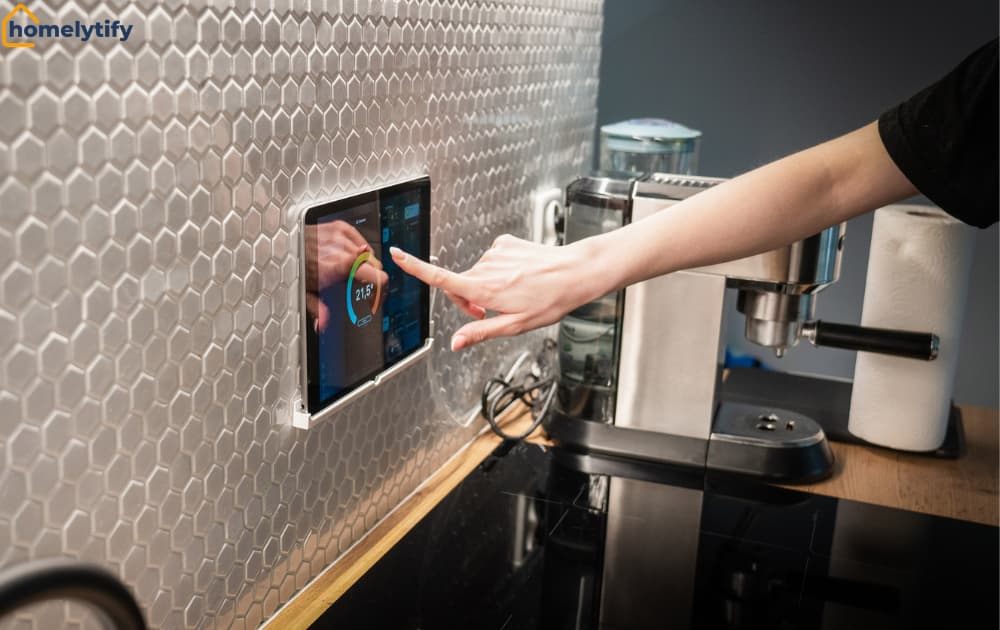
What Is Smart Home Technology? A Simple Guide for Beginners
Smart home technology sounds like something out of a sci-fi movie until you realize your neighbor is already using it to turn off their lights from bed.
Most people hear the term and immediately picture expensive setups, complicated wiring, and a house that requires an IT degree to operate.
That image stops a lot of people from ever looking further. And honestly, it’s understandable. The way smart home tech gets talked about online is the problem.
Terms like Zigbee, Matter protocol, and mesh networks get thrown around like everyone already knows them. It makes the whole thing feel like a world built for tech people, not normal ones.
It was, though. And it’s simpler than it sounds.
This guide explains what smart home technology actually is, how it works in plain language, what it can realistically do for your daily life, and how to start without overwhelming yourself or wasting money. No jargon. No assumptions about your tech knowledge. Just a clear, honest explanation from the beginning.
How does smart home technology work?
- A smart device has a small chip built in that connects it to your home Wi-Fi or Bluetooth.
- You send a command through a phone app, voice assistant, or preset automation rule.
- The command travels from your phone to your home network, then to the device.
- The device acts — turning on, adjusting, or sending you an alert.
- With automation set up, the same process repeats on its own, with no input from you.
Why Most Beginners Find Smart Home Technology Confusing
The confusion isn’t your fault. It’s a communication problem, not a knowledge problem.
Most content about smart home tech is written by people who already understand it. They skip the basics and use acronyms without explanation. Then they jump straight into product comparisons that mean nothing without the foundation.
Reading that content as a beginner feels like walking into a conversation that started without you.
There’s also the marketing problem. Every device brand claims its product is the easiest, most seamless, most compatible option available. When everything claims to be simple, nothing feels simple. You don’t know who to trust or where to begin.
Here’s the honest starting point: smart home technology is simply a way of connecting everyday home devices, like lights, plugs, thermostats, and locks, to the internet.
It allows you to control them remotely or set them to work automatically. That’s the whole concept. Everything else is detail built on top of that foundation.
Once that clicks, everything else starts to make sense.
What Is Smart Home Technology in Simple Terms?
Smart home technology refers to any device in your home that connects to the internet and can be controlled remotely or programmed to operate autonomously. That’s it.
Your regular light switch does one thing: it turns the light on or off when you physically flip it. A smart light switch does the same thing, but it also connects to your phone.
You can turn it on from another room, another city, or set it to turn off automatically at 11 pm every night without touching it again.
That same logic applies to thermostats, door locks, security cameras, power outlets, and kitchen appliances. The device gains awareness and remote control through an internet connection.
That’s the core of what makes something “smart.”
How Smart Devices Talk to Each Other
Smart devices communicate using wireless signals, just like your phone connects to devices without a physical cable.
Different devices use different types of signals. Some use your home Wi-Fi network. Others use Bluetooth for short-range communication. Some use specific smart home signals called Zigbee or Z-Wave that are designed specifically for low-energy device communication.
The important thing to understand is that devices using different signal types don’t always talk to each other automatically. A device using Zigbee and a device using Bluetooth don’t communicate directly without something in the middle connecting them.
That connector is called a hub, a small device that translates between different signal types and brings everything under one system.
Not every smart home needs a hub. Many modern devices connect directly to Wi-Fi and work through a single app. But knowing this exists explains why some devices work together and others don’t.
The Difference Between Smart Home and Home Automation
These two terms get used interchangeably, and they’re not quite the same thing.
A smart home means your devices are connected and controllable. You can turn the light on from your phone. You can check your security camera remotely. You have control, but you’re still controlling.
Home automation means the devices act on their own based on rules you set. The lights turn on automatically when you arrive home. The thermostat drops to a lower temperature every night at 10 pm without you touching it.
The security camera sends you an alert when it detects movement.
A smart home is a capability. Home automation is what you do with it. Most people start with the first and gradually build toward the second as they get comfortable.
How Smart Home Devices Communicate
A smart device is essentially a regular device with a small computer and a wireless chip built inside it.
That chip gives it the ability to send and receive information over a network.
When you tap a button in your phone app to turn on a light, you’re sending a signal from your phone to the internet. From there, it travels to your home network and then to the light. The whole process takes less than a second. The light turns on. That’s the full chain.
The Role of Wi-Fi, Bluetooth, and Hubs
Wi-Fi is the most common connection method for smart home devices. Your home already has it.
Most beginner-friendly devices, such as smart plugs, smart bulbs, and smart speakers, connect directly to your Wi-Fi network. They work immediately through a phone app. No extra equipment needed.
Bluetooth is used for devices that only need to communicate over a short distance, usually within the same room. Some smart locks and speakers use Bluetooth.
The limitation is the range. Bluetooth doesn’t reach across a full home reliably, which is why most smart home devices prefer Wi-Fi.
A hub becomes relevant when you have multiple devices from different brands or using different signals. For a beginner setting up a first device or two, you almost certainly don’t need a hub. Start simple, with Wi-Fi-connected devices through a single app.
Add complexity only when you actually need it.
What Controls Everything: Apps, Voice, or Both?
You can control smart home devices in three ways: through a phone app, through voice commands, or through automated rules you set in advance.
The app is the most direct. You open it, tap what you want, and it happens. Every smart device comes with its own app.
Most also work with larger platform apps like Google Home or Amazon Alexa, which bring multiple devices into one place.
Voice control works through a smart speaker, an Amazon Echo using Alexa, a Google Nest using Google Assistant, or an Apple HomePod using Siri.
You say “turn off the kitchen light,” and the speaker sends the command to the device. It’s genuinely convenient once set up correctly, especially in situations where your hands are full.
Automation is the third option and the most powerful. You set rules once, and the devices follow them forever. “If it’s after sunset, turn on the living room lamp.” “If the front door opens after 10 pm, send me an alert.”
These rules run on their own without you touching anything. That’s home automation working the way it’s designed to.
What Can Smart Home Technology Do for Your Daily Life?
The honest answer is: it depends entirely on which devices you choose and what problems they solve for you.
The mistake most beginner articles make is dumping a list of features and calling it helpful. Not one of them stops to answer the only question that actually matters: What does this do for my life on a regular day?
That list of capabilities means nothing if it doesn’t map to something you actually experience.
So here are the two areas where smart home technology makes a genuine, daily difference for most beginners.
Saving Energy Without Thinking About It
Lights left on in empty rooms. A thermostat set to heat an empty house all day. These are small costs individually, but they add up significantly over a year.
Smart home technology addresses both without requiring daily discipline. A smart plug on a lamp can be set to turn off automatically at midnight.
A smart thermostat learns when you leave for work and stops heating the house until thirty minutes before you return. A smart power strip cuts power to devices in standby mode that continue drawing electricity even when not in use.
The energy savings don’t happen because you remember to do something. They happen because you set the rule once, and the device follows it consistently. That distinction matters for busy homeowners who don’t want another thing to remember.
Making a Small Home Feel More Functional
This one is less obvious but genuinely impactful. In a small apartment or house, smart lighting in particular changes how a space feels at different times of day.
Warm, dimmed lights in the evening create a calmer atmosphere than a bright overhead fixture. Motion-sensing lights in a hallway or bathroom mean you never fumble for a switch in the dark.
A small lamp that turns on automatically when you walk into the living room after work makes the space feel more welcoming without any effort.
None of this requires expensive devices or a complicated setup. A smart bulb costs between eight and fifteen dollars.
A smart plug costs roughly the same. The investment is small, but the daily difference is larger than most people expect.
The Easiest Smart Home Devices to Start With
The first device you buy sets the tone for your entire smart home experience. Buy something too complicated, and you’ll get frustrated and stop.
Buy something that works immediately, and you’ll want to add more.
These three devices consistently deliver the best beginner experience across every budget level.
Smart Plugs: The Simplest First Step
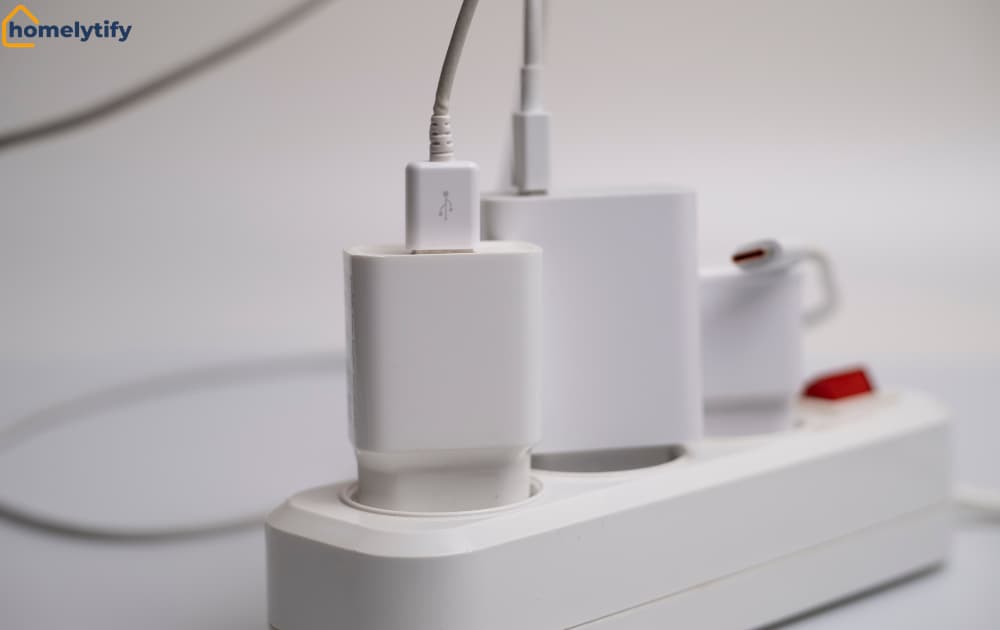
A smart plug is the easiest possible introduction to smart home technology. You plug it into a regular wall outlet.
You plug any device into the smart plug. You download the app. That device is now controllable from your phone.
No wiring, no installation, and no technical knowledge are required.
If something goes wrong, you unplug it, and nothing in your home has changed.
Smart plugs work with lamps, fans, coffee makers, phone charger stations, and anything that runs through a standard outlet. Set a schedule for your morning coffee maker to start brewing before your alarm goes off.
Turn off a lamp from bed without getting up. Simple, immediate, useful.
A decent smart plug costs between ten and twenty dollars. It’s the lowest-risk starting point available.
Smart Lights: High Impact, Low Effort
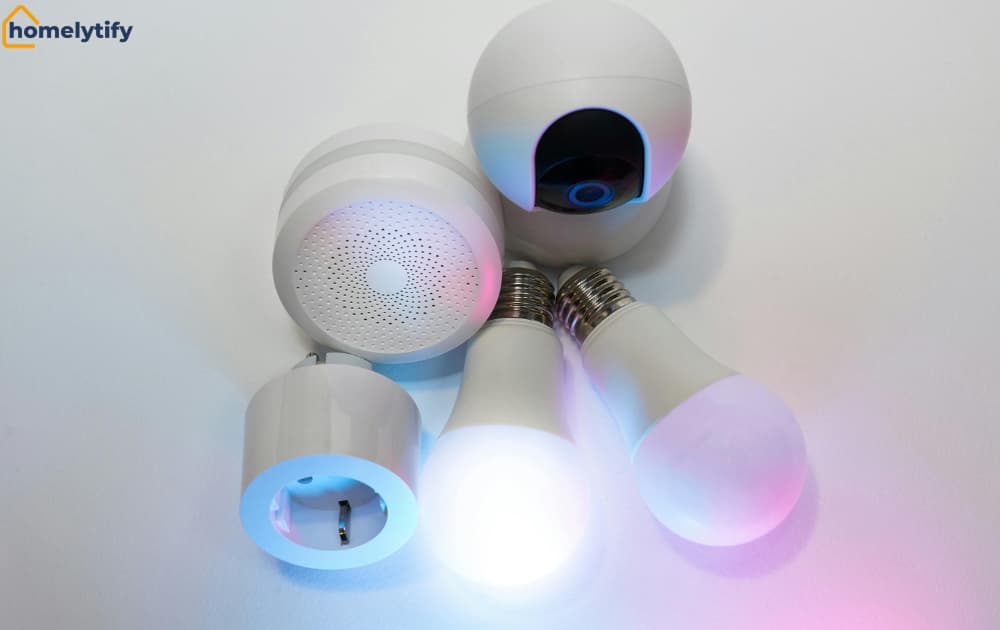
Smart bulbs screw into your existing light fixtures exactly like regular bulbs. The smart version connects to your Wi-Fi and responds to your phone or voice commands.
The impact goes beyond simple on and off. Smart bulbs dim and shift color temperature from warm to cool. They can also be grouped so that one command controls every light in a room simultaneously.
That flexibility changes how you use lighting throughout the day in ways a regular bulb never could.
For a beginner, start with one smart bulb in the room you use most. A bedroom or living room lamp is ideal.
Get familiar with the app, try a few automations, and expand once you’ve seen how it works in practice.
Smart Speakers: The Control Center Most People Start With
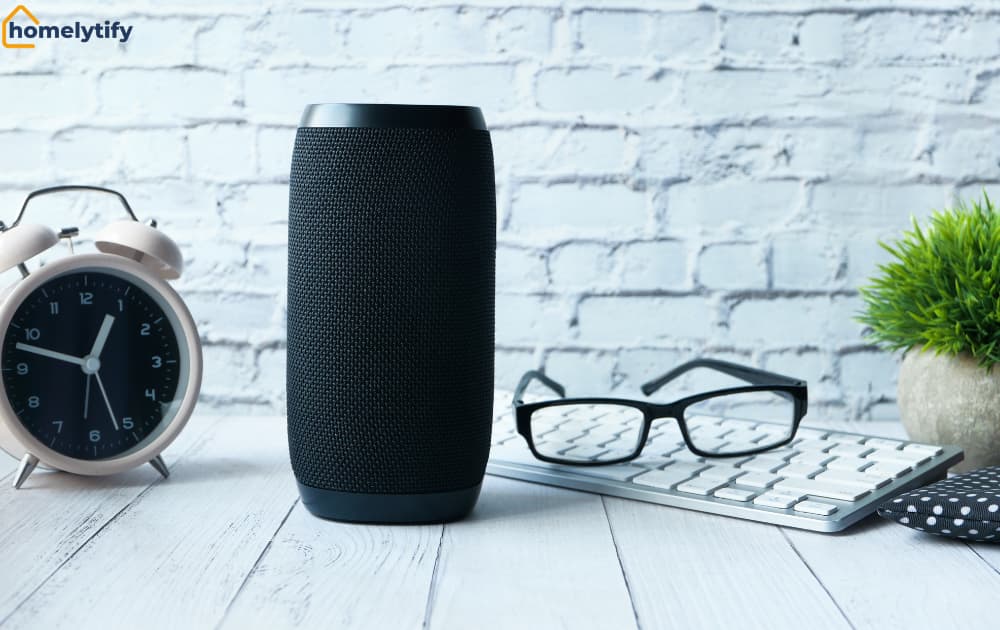
A smart speaker, such as an Amazon Echo, Google Nest Mini, or Apple HomePod Mini, does two things. It plays music and responds to voice commands.
But for smart home purposes, its real value is acting as a voice control hub for everything else.
Once your smart plug and smart bulb are connected to the same platform as your smart speaker, you can control them with your voice. You won’t need to open an app at all.
“Hey Google, turn off the bedroom light.” “Alexa, turn on the fan.” These commands work across the room, with wet hands, in the dark, or while doing something else entirely.
Smart speakers start around thirty dollars for basic models. They’re the device that makes the whole system feel cohesive rather than a collection of separate apps.
Is Smart Home Technology Worth It for a Beginner?
For most people, yes, but only if they start small and solve a real problem rather than buying technology for its own sake.
The value of smart home technology isn’t in owning it. It’s in how specific devices solve specific daily frustrations.
A smart plug that eliminates the habit of leaving lights on all day is worth it. A complicated multi-device setup bought because it looked impressive in a review is usually not.
Smart home technology is worth starting if you:
- Regularly leave lights or appliances on by accident and want an automatic fix
- Want to feel more secure with a doorbell or camera you can check from your phone
- Rent and can’t make structural changes — smart devices need no drilling or wiring
- Have a tight budget — a single smart plug or bulb costs less than a week of coffee
Hold off if you:
- Expect the tech to fix a disorganized home or routine on its own
- Plan to buy an entire system before understanding what you actually need
Common Smart Home Mistakes Beginners Make
Most smart home frustration is self-inflicted. Not because people are careless, but because the marketing around smart home technology encourages exactly the wrong decisions.
These three mistakes happen consistently, and they’re all avoidable.
Buying Devices Before Choosing an Ecosystem
An ecosystem is the platform that ties your devices together. Amazon Alexa, Google Home, or Apple HomeKit are the main three. Devices within the same ecosystem communicate and work together. Devices across different ecosystems often do not.
The mistake is buying individual devices that look good in isolation without checking whether they work within the same ecosystem. You end up with three apps, three separate systems, and devices that cannot be controlled together. That defeats the whole purpose.
Before buying anything, decide which ecosystem fits your life. If you use Android and Google products, Google Home is the natural choice. If you’re in the Apple world, HomeKit. If you want the widest device compatibility and lowest prices, Alexa. Pick one. Buy only devices that work with it.
Overbuilding Too Fast
The impulse to automate everything at once is understandable. The problem is that smart home technology reveals its value gradually, not immediately. What works brilliantly in a review might not solve any real problem in your specific home.
Buying fifteen devices at once means fifteen things to set up and fifteen things that might not work the way you expected. It also means making fifteen decisions before you have any real experience to guide them.
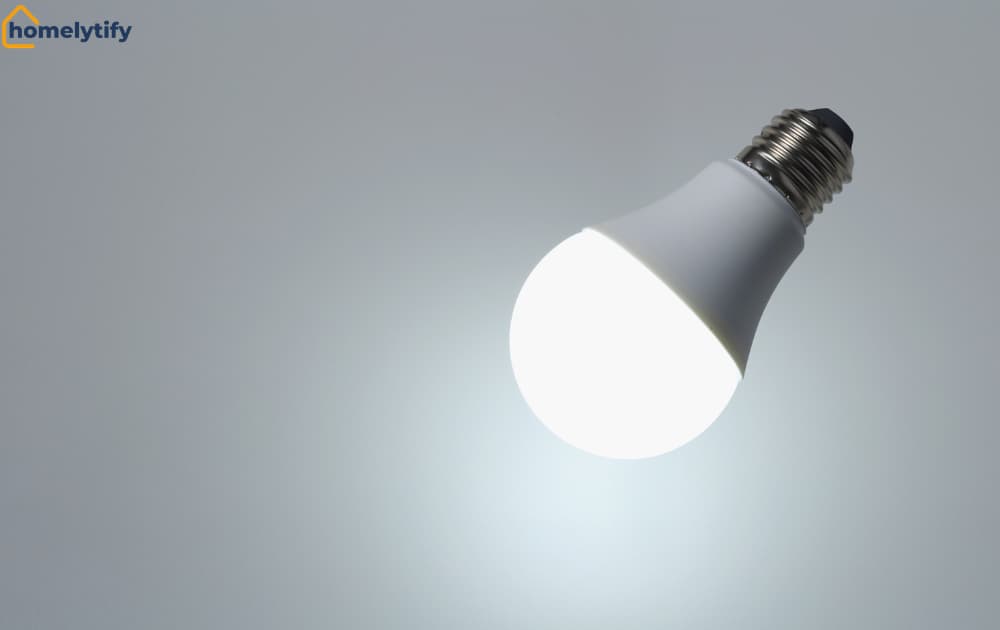
I started with a single TP-Link Tapo L510E smart bulb because my lighting setup was inefficient and I wanted better control without rewiring anything. The first week alone showed me how much easier a connected bulb makes daily life.
Scheduling, dimming, and controlling it from my phone without getting up all became effortless.
That one experience was enough to convince me to expand, and I bought more bulbs for the rest of the house based entirely on what I learned from that first one.
Start with one device and live with it for two to four weeks. Notice what it does and does not do well. Then decide what the next logical addition would be based on an actual gap you’ve experienced, not based on a product list you saw online.
Ignoring Privacy and Security Settings
Every smart home device connected to the internet is a potential entry point into your home network. Most beginners set up devices quickly and never look at the privacy or security settings.
This doesn’t mean smart home technology is dangerous; it means it requires the same basic security attention as any other connected device.
Change default passwords immediately after setup. Use a strong, unique password for your home wifi network. Enable two-factor authentication on your smart home platform account if it’s available.
These steps take ten minutes total and are not optional. A poorly secured smart home camera or smart lock is a real vulnerability, and the default security settings on most devices are the minimum, not the recommendation.
Conclusion
Smart home technology is not complicated. It has been made to seem that way by marketing language and technical content written for people who already understand it.
At its core, it is simply a way of making everyday home devices more responsive to how you actually live. Lights that turn off when you leave. A thermostat that adjusts automatically. A doorbell that shows you who is there from anywhere. Small conveniences that compound into a home that requires less daily management from you.
The right way to start is smaller than you think. One device, one real problem, one month of use before adding anything else. That approach builds genuine understanding and avoids the frustration that comes from overcommitting before you know what you actually need.
Pick the one daily frustration in your home that a smart device could solve. Start there. The rest will follow naturally once you’ve seen what the technology actually does in your own space.
Frequently Asked Questions
Do I need a hub to start a smart home?
No. Most beginner devices connect directly to Wi-Fi through a single app. A hub only matters once you mix brands or signal types like Zigbee.
What’s the cheapest way to start with smart home technology?
A smart plug or bulb, usually $8–$20. Both plug in and connect through an app in minutes — no wiring needed.
Is smart home technology safe from hacking?
It carries the same risks as any connected device. Strong passwords and two-factor authentication cover most of the risk.
What’s the difference between a smart home and home automation?
A smart home is controllable by you. Home automation acts on its own, based on rules you set in advance.
Which smart home device should a beginner buy first?
A smart plug works with almost anything and requires zero setup or technical knowledge.
One Comment